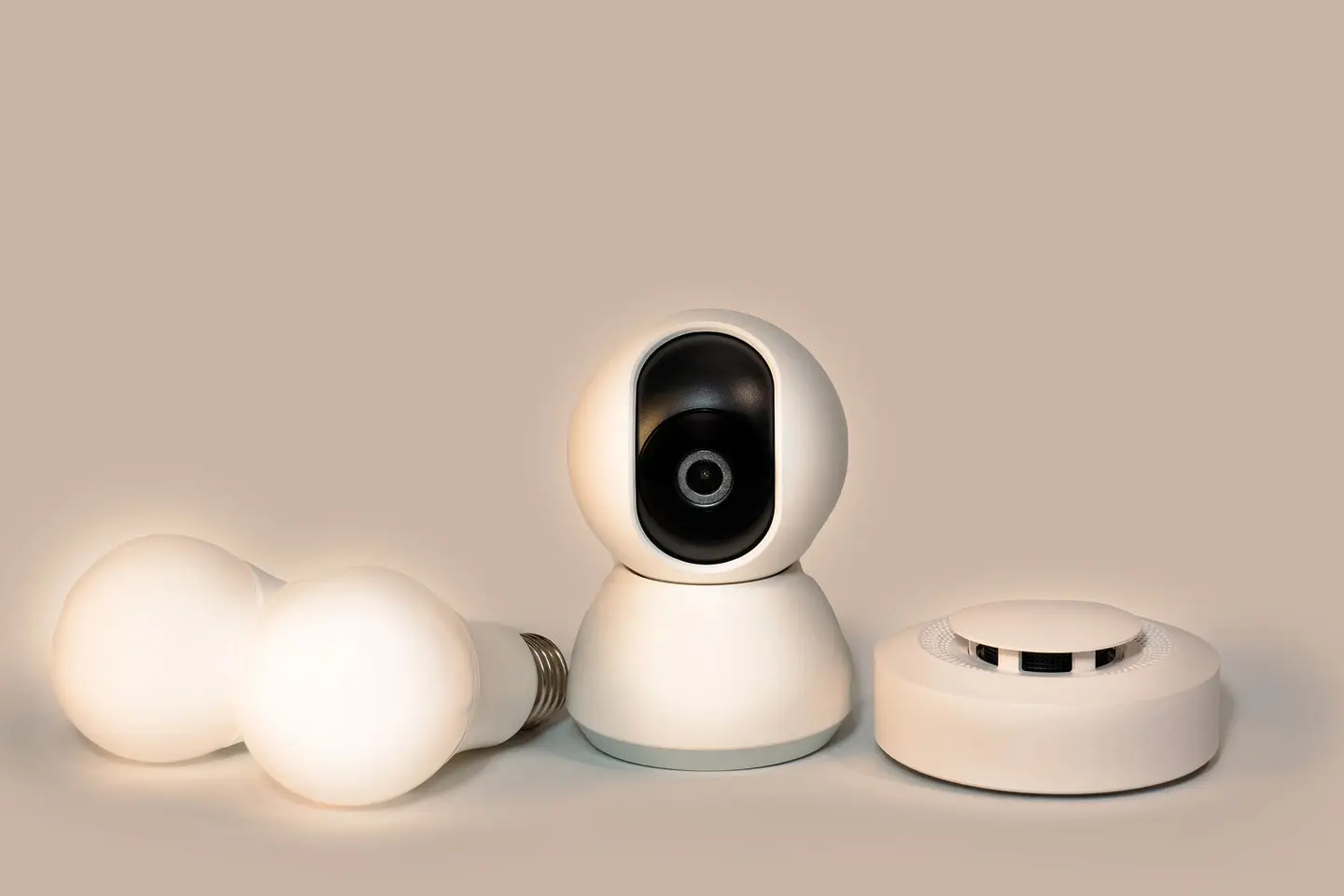
Home CCTV has moved from a niche security measure to a standard feature of UK residential properties, driven by falling camera prices, easy smartphone integration and genuine deterrent value. But the market is saturated with products ranging from excellent to useless, and a poorly chosen or illegally installed system can create legal liability rather than security.
This guide covers what to look for when buying, the key technical specifications that matter, wired versus wireless, storage options, UK legal obligations and realistic costs for both DIY and professional installations.
Do You Actually Need CCTV?
CCTV is most useful for:
- Monitoring a front drive, porch or gate where vehicle crime or package theft is a concern
- Providing post-event evidence after an incident
- Deterring opportunistic crime, particularly where the camera is clearly visible and the area is well lit
It is less useful for:
- Properties in dense urban areas where images are too difficult to act on without a high-resolution system
- As a standalone measure, a camera without a quality door lock, alarm or adequate lighting is of limited deterrent value
Wired vs Wireless: The Key Trade-Off
| Feature | Wired (PoE/Coax) | Wireless (Wi-Fi) |
|---|---|---|
| Reliability | Excellent, no signal dropouts | Variable, depends on Wi-Fi signal |
| Image quality | Up to 4K easily | Up to 4K, but compression artefacts more common |
| Installation | Requires cable runs, harder to retrofit | Quick to install, harder to tamper-proof |
| Power | Power over Ethernet (PoE) or coax + power | Mains adapter or rechargeable battery |
| Tamper resistance | Very hard to disable covertly | Can be blocked by signal jamming |
| Running cost | None (local NVR storage) | Cloud subscription often required |
| Best for | Permanent installation with coverage you will rely on | Rentals, temporary use, minimal disruption |
For most homeowners intending to install a permanent system, wired PoE cameras connected to a Network Video Recorder (NVR) give the best combination of reliability, image quality and storage control. Wireless systems are easier to install but can be disabled silently by radio jammers, which are illegal to use but increasingly reported as being used in burglaries.1
Key Specifications
Resolution
| Resolution | Pixel Count | Practical Use |
|---|---|---|
| 1080p (HD) | 1920×1080 | Adequate for driveway/garden views |
| 4MP | 2560×1440 | Good facial detail at 3–5 m |
| 4K (8MP) | 3840×2160 | Facial/plate recognition at 6–10 m |
For identifying faces or number plates, you generally need at least 4MP. A 1080p camera covering an area wider than 4 m will struggle to provide usable facial identification.
Night Vision
Most cameras use infrared (IR) LEDs for night vision, producing black and white images. Check the effective IR range, marketing figures are often optimistic. A 20 m IR range in real conditions is typically 12–15 m in suburban environments with ambient light pollution. Full-colour night vision cameras use a strong built-in white-light spotlight, more useful for evidence but can be intrusive for neighbours.
Colour night vision with ambient light (Sony Starvis sensor) produces colour images in low light without a spotlight and is the best option for driveways and paths where colour is useful (clothing colour, car colour) without creating neighbour disputes.
Field of View
A wider field of view (110°–130°) covers more area but reduces the effective resolution per square metre of coverage. For general overview: 90°–110°. For specific zones (gate, front door): 60°–80°, positioned closer.
Weather Rating
Any outdoor camera should be rated IP66 or better (dust-tight, protected against powerful water jets). For particularly exposed locations (coastal, very windy), IP67 (temporary immersion) is better. Most reputable outdoor cameras meet IP66.
Storage Options
Local NVR/DVR storage: footage is stored on a hard drive in a recorder box inside the house. No ongoing subscription. Vulnerable to theft if the recorder is not secured (lock it to a wall in a cupboard). Typically 1–4 TB, storing 7–30 days of footage from 4–16 cameras at full resolution.
Cloud storage: footage is uploaded to the manufacturer’s servers. Survives a break-in where the recorder is stolen. Usually requires a monthly subscription (typically £3–£15 per camera per month) and a reliable broadband connection. Data protection implications, see legal section below.
SD card (in-camera): common in budget wireless cameras. Limited capacity (32–256 GB), typically overwrites after 3–7 days. Vulnerable to camera theft. Fine for short-term monitoring; not suitable as the sole storage for an important installation.
For a permanent residential system, a local NVR with 2 TB storage plus cloud backup of the most-accessed camera views is the recommended approach.
UK Legal Obligations
This is the section most buyers skip and most installation guides understate.
Data protection: if any of your cameras capture images beyond your boundary, such as the pavement, a shared driveway, a neighbouring property’s garden or a public road, data protection law applies and there are rules you must follow.2 You do not have to pay the Information Commissioner’s Office (ICO) data protection fee for CCTV used to monitor your own home, even if it captures images beyond your boundary.3
Signage: where your cameras record beyond your boundary, you must put up signs showing that CCTV is in operation.2 A weatherproof A4 or A5 sign at each camera location is the standard approach. The ICO publishes free guidance on home CCTV on its website.
Retention: keep footage only as long as you need it and delete it regularly or automatically; many domestic systems simply overwrite after about a month.2 Keeping footage longer needs a specific reason, such as an incident you are reporting.
Pointing only at your property: you should make every reasonable effort to aim cameras so they capture only your own land. If a camera also captures a neighbour’s garden or windows, data protection law applies and you must be able to justify the recording, although the ICO notes that the police are unlikely to treat CCTV as harassment without other misconduct by the person.2 If a camera must capture some public space, follow the rules above, including signage.
Cost Guide
| System | Supply | Installation | Total |
|---|---|---|---|
| 2-camera wireless DIY (1080p) | £100–£200 | DIY | £100–£200 |
| 4-camera PoE system with NVR (4MP) | £250–£500 | DIY (half day) | £250–£500 |
| 4-camera PoE system (4K, professional install) | £400–£800 | £300–£600 labour | £700–£1,400 |
| 8-camera professional system with monitoring | £800–£1,500 | £400–£700 labour | £1,200–£2,200 |
Professional installation adds cable concealment, correct fixings to masonry, and a properly set-up NVR with scheduled recording and motion alerts. For a permanent system you will rely on for security or insurance purposes, professional installation is worthwhile.
What to Buy
Look for cameras from established brands with good UK support and regular firmware updates. Avoid unbranded systems from unknown sellers, which are more likely to ship with weak security and no update support. Since 29 April 2024, makers of smart products sold in the UK must not use universal default passwords, must tell you how to report security flaws, and must publish the minimum period for which they will provide security updates, so check that period before you buy.4 Widely sold brands include Hikvision and Dahua (also sold under many other brand names), Reolink and Eufy. In November 2022 the government told its departments to stop deploying surveillance equipment made by companies subject to China’s National Intelligence Law on sensitive sites; that is a security policy for government sites rather than a rule for homes, but it is worth knowing when choosing a brand.5
For the recorder/NVR, ensure it supports ONVIF (an open protocol) so you are not locked into a single camera brand if you want to expand the system later.
References (5)
Figures in this note were checked against the sources below on 30 September 2026. Superscript numbers in the text point to them. Every source the site cites, by topic.
- 1technicalvery strongDepartment for Science, Innovation and Technology, guidance.RN-UZLY3BGovernment call for evidence on radio jammers; it says jammers are increasingly used in crimes including burglary and that using equipment which deliberately interferes with wireless communications is illegal in most cases.
- 2technicalstrongInformation Commissioner's Office, guidance.RN-RPB74UThe ICO's guidance on home CCTV, which it says includes smart doorbells: recording beyond the property boundary brings the owner under data protection law.
- 3technicalstrongInformation Commissioner's Office, guidance.RN-UVKS0WICO guidance on the data protection fee for households; it lists home CCTV, even beyond the boundary, as a personal or household affair exempt from the fee.
- 4technicalvery strongDepartment for Science, Innovation and Technology, guidance.RN-XLPPG4Government policy paper on the PSTI product security regime, in force from 29 April 2024, covering password rules and security-issue reporting for consumer connectable products.
- 5technicalvery strongUK Parliament, guidance.RN-IPB27PWritten ministerial statement of 24 November 2022 instructing government departments to stop deploying surveillance equipment from companies subject to China's National Intelligence Law on sensitive sites.
-
Possession of radiofrequency jammers and the relevant legal framework, Department for Science, Innovation and Technology, accessed 30 September 2026. gov.uk
-
Home CCTV systems, Information Commissioner’s Office, accessed 30 September 2026. ico.org.uk
-
Paying a data protection fee: activities of households sector, Information Commissioner’s Office, accessed 30 September 2026. ico.org.uk
-
The UK Product Security and Telecommunications Infrastructure (Product Security) regime, Department for Science, Innovation and Technology, accessed 30 September 2026. gov.uk
-
Security update: surveillance equipment, written statement HCWS386, UK Parliament, accessed 30 September 2026. questions-statements.parliament.uk