Smart locks promise convenience, unlocking your front door from your phone, setting temporary codes for tradespeople, checking whether you locked up from the other side of the world. The technology has matured considerably, and in 2026 a reliable smart lock is an achievable upgrade for most UK front doors. However, the UK market has several important constraints that do not apply in the same way in the US or continental Europe, most notably around insurance compliance and standard door geometry. Getting these wrong can invalidate your home insurance or leave you unable to open your own door.
Types of Smart Lock
Retrofit Smart Deadbolt
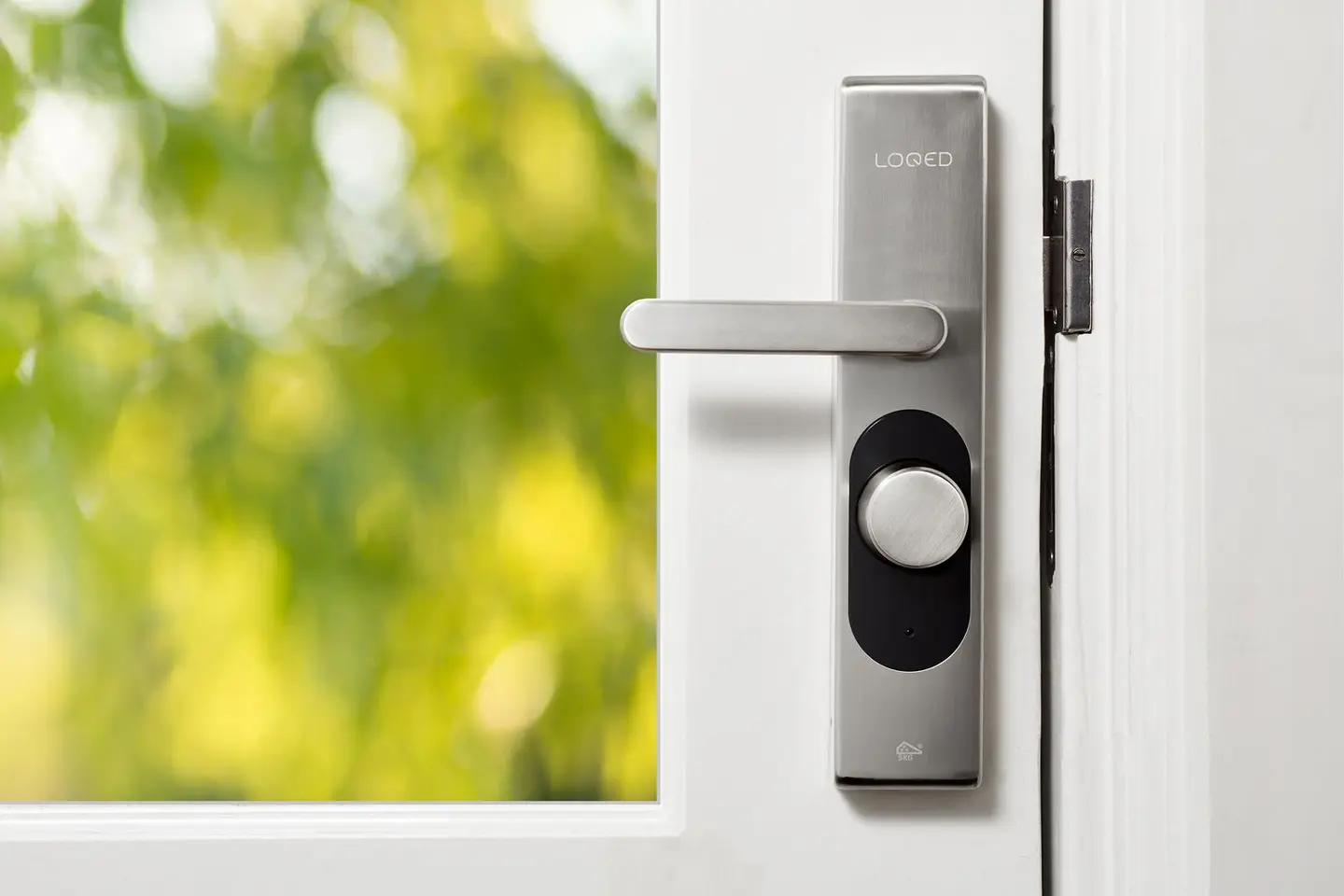
A retrofit deadbolt replaces only the interior thumbturn of an existing deadbolt lock, leaving the exterior cylinder and the physical key function intact. A motorised mechanism inside the housing turns the thumbturn via Bluetooth or other wireless protocols. These are the easiest to install, typically requiring a screwdriver only, and the least disruptive, since the external appearance of the door is unchanged. They are also the only category that can potentially retain an existing BS 3621-certified lock underneath, depending on the specific product and lock combination.
Best for: Tenants, renters, or homeowners who want smart functionality while retaining physical key backup and minimal visual change.
Smart Cylinder (Euro Profile)
A smart cylinder replaces the cylinder (the barrel that your key turns) rather than the whole lock body. Most UK doors fitted with a multipoint locking system, the standard on composite and uPVC doors, use a euro profile cylinder (EN 1303), and a smart cylinder drops into the same aperture. The smart cylinder is operated by phone or PIN pad on the exterior face and typically includes a physical key override.
This is often the most practical route for UK composite and uPVC front doors because it does not require changing the door furniture or the multipoint locking mechanism itself.
Best for: Composite and uPVC doors with euro profile cylinders and multipoint locks.
Full-Replacement Smart Lock
A full-replacement smart lock replaces the entire lock unit, cylinder, deadbolt, strike plate, and sometimes the handle. These are common in the US market and suited to single-deadbolt mortice lock configurations typical of US doors. In the UK, where multipoint locking is standard on new composite and uPVC doors, full-replacement smart locks are less commonly used and often require mortice (single-point) lock doors, typically older timber doors, to be compatible.
Best for: Older timber doors with single mortice deadbolts; AirBnB or rental properties where keyless entry is the primary requirement.
How They Connect
Smart locks use one or more wireless protocols to communicate with phones, hubs and other smart-home devices:
Bluetooth (BLE): Direct phone-to-lock communication, typically with a range of 5–10 m. No hub or internet connection required for basic operation, which means it works during power or broadband outages. Most retrofit smart locks use Bluetooth as the primary protocol. The trade-off is that remote access (checking lock status from outside the home) requires either a Bluetooth bridge/gateway connected to broadband, or a Wi-Fi-capable lock.
Wi-Fi: Allows direct internet connectivity without a hub. Convenient for remote access and monitoring, but draws more battery power than Bluetooth. Some locks use Wi-Fi as a secondary protocol (for remote access) alongside Bluetooth (for day-to-day use).
Z-Wave / Zigbee: Mesh radio protocols used in wider smart-home ecosystems. Require a compatible hub (such as a Z-Wave controller or a Zigbee-compatible smart home hub). Well-suited for homes already using these platforms, offering reliable low-power communication, but require an upfront hub investment if not already in place.
NFC / Keycard: Some locks offer NFC card or key fob entry as an alternative to phone app. Useful for family members without smartphones or as a backup access method.
UK Door Standards and Insurance Compliance
This is the most important section for UK buyers, and the one most often glossed over by online retailers.
BS 3621:2017+A1:2024 is the British Standard for thief-resistant lock assemblies that lock by key from both sides of the door. Many home insurance policies in the UK require external doors to be secured with a lock to BS 3621 or an equivalent standard, and a compliant lock is marked with the standard number, often alongside the BSI Kitemark. The standard covers the whole single-point lock assembly, including its locking plates, fixing screws and cylinder, and tests its resistance to attack.1
The critical issue is that most smart locks are not certified to BS 3621. The smart features (motor, Bluetooth, PIN pad) require design compromises that are difficult to reconcile with the mechanical attack resistance requirements of the standard. A lock can be very secure in practice while not bearing the BS 3621 kite mark, but your insurer may not accept this distinction when a claim is made.
Before purchasing any smart lock:
- Check whether your current lock bears the BS 3621 kite mark.
- Read your home insurance policy wording, specifically the section on lock requirements for external doors.
- Contact your insurer to confirm whether the specific smart lock you intend to fit is acceptable, and get the answer in writing (or at minimum save a record of the call).
Some insurers have updated their policies to accommodate smart locks from reputable manufacturers, or will accept a smart lock fitted alongside a BS 3621-certified deadbolt operating in parallel. Others maintain strict BS 3621 requirements. There is no single UK-wide standard answer.
Sold Secure is a test house set up in 1992 by Northumbria and Essex Police with Home Office backing, and now run by the Master Locksmiths Association.2 It rates security products Bronze, Silver, Gold and, for the toughest tests, Diamond.2 Some smart locks and cylinders hold Sold Secure ratings, which some insurers accept alongside or instead of BS 3621. Check the Sold Secure database directly.
Document Q (Building Regulations, 2015) covers the security of doors and windows. It applies only to new dwellings, including those formed by a material change of use, not to a replacement door on an existing home.3 For a new dwelling, entrance doorsets must be shown by test to meet PAS 24:2012 or a standard with similar or better performance.3 PAS 24 tests the whole doorset against physical and manipulation attack, a broader test than BS 3621 applies to a lock, and it has since been revised, with PAS 24:2022 the current edition. If you are fitting a new door rather than just a lock, ask for a doorset certified to the current PAS 24. This is separate from the smart lock question.
Smart Lock Comparison
| Lock Type | Typical Cost | Connectivity | Battery Life | BS 3621 Compliant | Key Override |
|---|---|---|---|---|---|
| Retrofit smart deadbolt | £80–£200 | Bluetooth / Wi-Fi | 6–18 months | No (may retain existing compliant lock) | Yes (existing cylinder) |
| Smart cylinder (euro profile) | £100–£250 | Bluetooth / Z-Wave | 6–18 months | Rarely | Yes (physical key) |
| Full-replacement smart lock | £150–£400 | Wi-Fi / Bluetooth | 4–12 months | Rarely | Yes (physical key) |
| Smart padlock / mortice deadbolt | £60–£150 | Bluetooth | 3–9 months | No | Yes |
Installation Considerations
Retrofit deadbolts are genuinely DIY-friendly. They clamp onto the interior side of the existing lock using the existing screw holes. Allow 30–60 minutes for a careful first installation.
Smart cylinders require removing the existing euro cylinder and inserting the smart cylinder in its place. The main variable is the cylinder length, measure your existing cylinder’s external and internal dimensions (e.g., 35/45 mm) carefully before ordering. Some smart cylinders are fixed length and may not suit every door. Fitting takes 15–30 minutes with a screwdriver.
Full-replacement locks on timber doors require mortising the lock body into the door stile, a job that requires a chisel and some accuracy. If the existing lock is already recessed in a mortice pocket, fitting a replacement of the same dimensions is straightforward. Fitting to a new location requires cutting a new mortice, which is a job most confident DIYers can manage with the right chisels and a template.
Power: All smart locks are battery-powered on the lock unit itself (typically 4× AA cells). Some offer emergency USB or 9V battery external power to the lock face if the internal batteries die. Most provide low-battery warnings via the app at 20–30% remaining. Battery life varies enormously by usage frequency and protocol, a Bluetooth-only lock used 4–6 times daily should last 12–18 months; a Wi-Fi lock used at the same rate may last 4–6 months.
What Smart Locks Cannot Do
Smart locks control one point of security: the lock. They do not:
- Reinforce the door frame or prevent kick-in attacks (this requires hinge bolts, door frame reinforcement, and anti-kick strike plates)
- Replace an alarm system
- Protect against social engineering or tailgating
For front doors, the full security picture includes the door leaf, the frame, the hinges, and the lock together.
Cost Summary
| Item | Typical Cost |
|---|---|
| Retrofit smart deadbolt | £80–£200 |
| Smart euro cylinder | £100–£250 |
| Full-replacement smart lock | £150–£400 |
| Smart home hub (if required for Z-Wave/Zigbee) | £50–£150 |
| Professional installation (locksmith) | £60–£120 |
| Smart keypad (standalone, code only) | £30–£80 |
Pro Tips
- Always test the lock manually (with the physical key) after installation before relying on the app, connectivity issues on day one are common and distressing if you have already locked yourself out.
- Keep a physical key as backup. Phones run out of battery, apps update and occasionally break connectivity, and cloud servers can go down.
- Register the product with the manufacturer immediately to activate the warranty and ensure you receive security firmware updates, smart locks with unpatched firmware are a genuine vulnerability.
- Consider a door sensor alongside the smart lock. Many locks indicate locked/unlocked state but not whether the door is actually closed, a door sensor confirms the door is fully shut before the lock engages.
References (3)
Figures in this note were checked against the sources below on 30 September 2026. Superscript numbers in the text point to them. Every source the site cites, by topic.
- 1technicalstrongBSI (British Standards Institution), a standard.RN-PSAEIMSTATUS: CURRENT. The live edition is BS 3621:2017+A1:2024, published 26 September 2024, superseding BS 3621:2017, BS 3621:2007+A2:2012, BS 3621:2004, BS 3621:1998 and BS 3621:1980. It specifies performance requirements and test methods for a thief resistant, mechanically operated single point lock assembly (including locking plates, fixing screws, fitting instructions, cylinders and protective furniture) incorporating a lock conforming to BS EN 12209:2016, lockable from both sides by key so that only key egress is possible, for doors, window doors and entrance doors. It explicitly excludes keyless egress assemblies, which are covered by BS 8621, and secure no egress modes, covered by BS 10621. Notes that quote BS 3621 as the insurance benchmark for a front door lock should cite the 2017+A1:2024 edition, not the 2007 one. The BSI catalogue page confirms number, title, date, status and scope; the full requirements are paywalled.
- 2technicalsupplier figureSold Secure, guidance.RN-F02V5CSold Secure's own account of its origin and ownership: set up by two police forces with Home Office backing, now owned and run by the Master Locksmiths Association.
- 3technicalvery strongMinistry of Housing, Communities and Local Government.RN-VGR6O6The security standard for doors and windows, ISBN 978 1 85946 601 8, in force from 5 March 2015 and last updated 22 November 2024. Requirement Q1 applies only to new dwellings, and to easily accessible doors and windows giving access into a dwelling from outside, into a building containing flats from outside, or into a flat from the common parts. Paragraph 1.2 requires secure doorsets tested to PAS 24:2012 or designed to Appendix B, with STS 201 Issue 5:2013, LPS 1175 Issue 7:2010 security rating 2, STS 202 Issue 3:2011 burglary rating 2 and LPS 2081 Issue 1:2015 security rating B accepted as equivalents. Paragraph 1.3 caps a letter plate aperture at 260mm x 40mm and points to DHF technical specification TS 008:2012. Paragraph 1.4 requires a door viewer on the main entrance door unless clear glass or an adjacent window serves the purpose, plus a door chain or limiter. Paragraph 2.2 requires ground floor, basement and other easily accessible windows and rooflights to be tested to PAS 24:2012, with STS 204 Issue 3:2012, LPS 1175 rating 1 and LPS 2081 rating A as equivalents, and paragraph 2.3 requires frames to be mechanically fixed to the structure. Appendix B specifies a doorset in solid or laminated timber to a minimum density.
-
BS 3621:2017+A1:2024, Lock assemblies operated by key from both the inside and outside of the door, BSI, accessed 30 September 2026. knowledge.bsigroup.com
-
About Us, Sold Secure, accessed 30 September 2026. soldsecure.com
-
Approved Document Q, Security: Dwellings, 2015 edition, Ministry of Housing, Communities and Local Government, accessed 14 September 2026. assets.publishing.service.gov.uk